01
EFFICIENCY
Reduce manual processing
Automate repetitive document handling and classification.
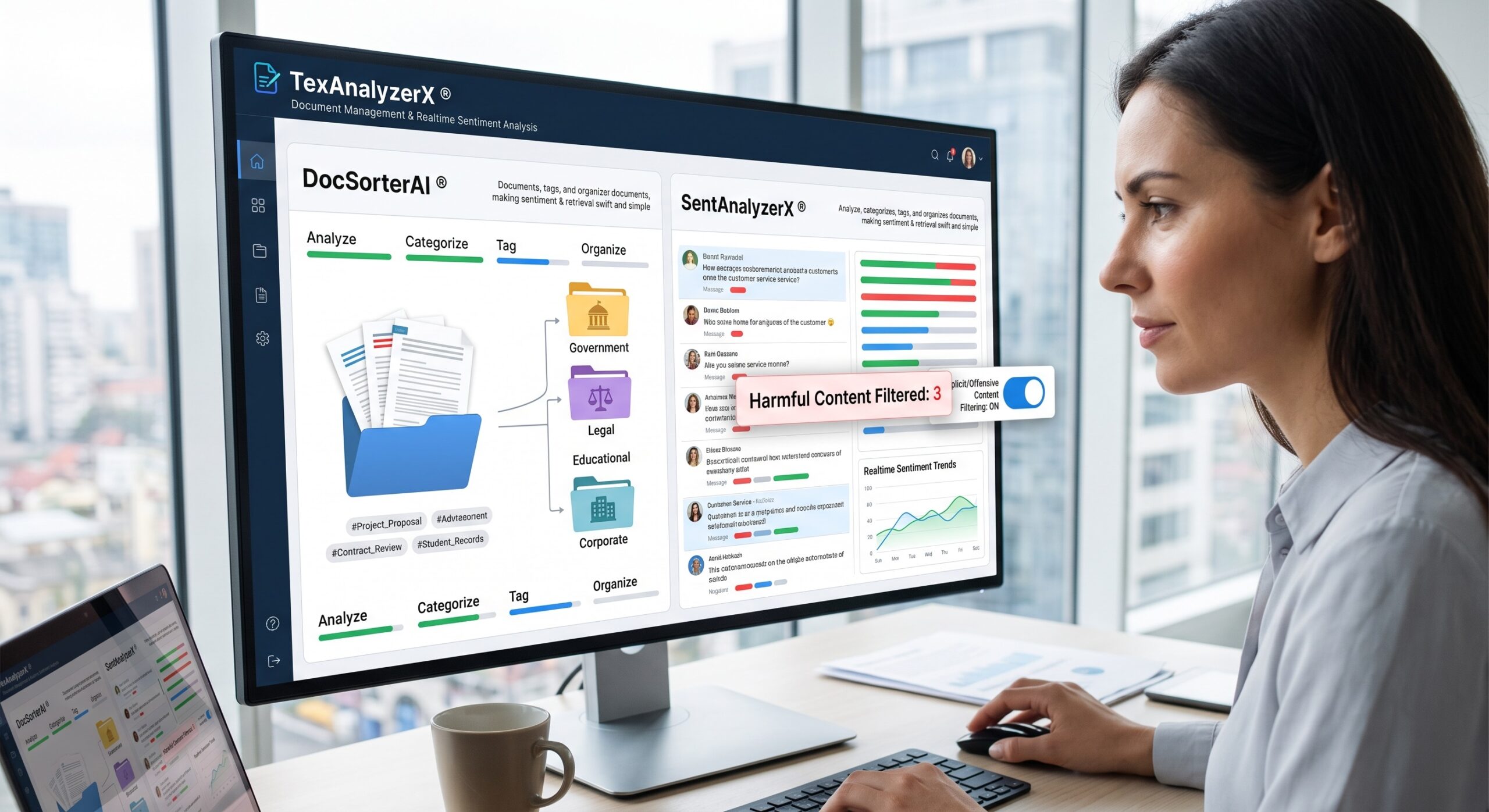
Automatically digitize, classify, extract, summarize, search, and route documents across media operations
Turn your documents into structured, usable business intelligence. We transform invoices, contracts, forms, reports, applications, and emails into accurate data that moves directly into your business workflows.
We extract text, tables, and entities from complex files. Our OCR systems convert scanned images into machine-readable text while recognizing document structure and context. We automate classification to route files to the correct department. Our models analyze contracts to identify critical clauses, obligations, risks, and missing data. We then connect this extracted information directly to your ERP, CRM, and document management systems.
This is the same document-intelligence engine behind neXt Era's broader AI product suite, not a generic OCR wrapper. TexAnalyzerX® handles the language layer, DigiHelperX® handles capture and conversion, and DocSorterAI® handles routing so the same pipeline that digitizes an archive today can classify tomorrow's inbound claims without a separate build.
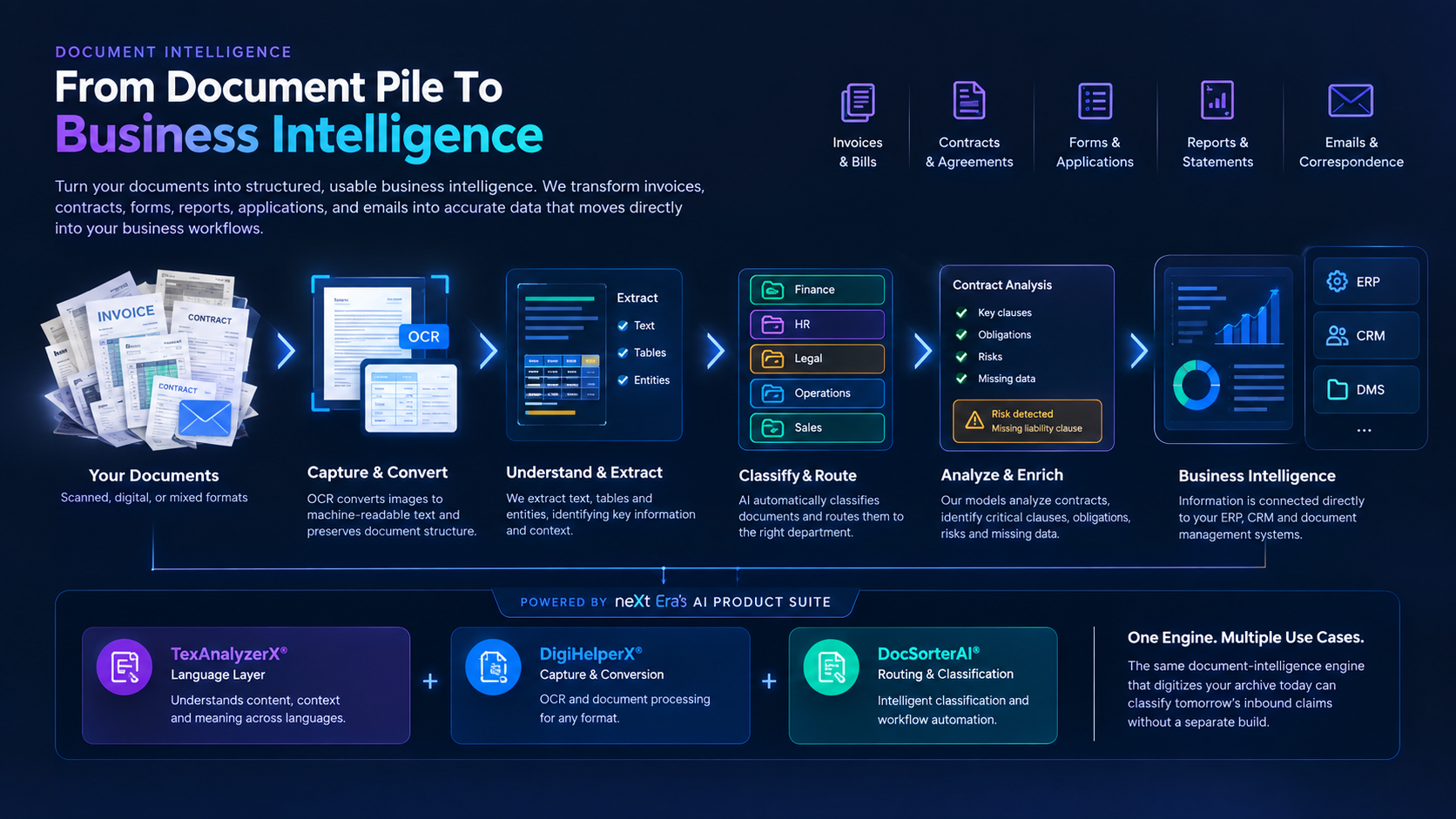
We customize the document intelligence pipeline around your existing systems, data sources, and business workflows.
Six stages, one continuous pipeline from the moment a document arrives to the moment its data triggers a downstream action.
Collect documents from emails, uploads, scanners, or enterprise repositories.
Apply OCR, NLP, computer vision, and AI models to process document structure and content.
Identify the exact information your business needs and convert it into structured data.
Apply your business rules, run confidence scoring, and handle exceptions.
Send the structured data into your existing enterprise systems via API.
Use the data to trigger decisions, workflows, notifications, and downstream processes.
Automate repetitive document handling and classification.
Make large document collections easier to search and navigate.
Apply standardized classification, metadata and tagging.
Give teams faster access to relevant information.
Convert paper and scanned content into searchable digital information.
Transform unstructured documents into structured information that can feed analytics and AI systems.
| Function | Traditional Process | AI-Powered Process |
|---|---|---|
| Review & Entry | Manual document review and repetitive data entry | Automated processing and data extraction |
| Search & Discovery | Keyword-based search and difficult content discovery | Semantic search and smart content discovery |
| Organization | Manual classification and metadata entry | AI classification and automatic metadata generation |
| Storage & Workflow | Paper archives and separate document repositories | Digitized searchable archives and connected workflows |
Six stages, one continuous pipeline from the moment a document arrives to the moment its data triggers a downstream action.
Process invoices, extract purchase orders, and analyze financial statements with automated document intelligence.
Analyze contracts, extract specific clauses, process regulatory filings, and identify compliance information automatically.
Process forms, classify operational records, and convert paper archives into structured digital information ready for workflows.
Analyze correspondence, route emails, process claims, and verify customer documents while extracting key information automatically.
Every stage above maps to a named neXt Era's product not a generic third-party OCR or NLP wrapper. That mapping is what lets your team audit, extend, or retrain any part of the pipeline independently.
Analyzes, categorizes, tags, and organizes large volumes of textual information. TexAnalyzerX reads extracted text in context, identifies entities and clauses, and produces structured tags for search, routing, and reporting.
Explore Product →Automatically classifies and organizes documents according to predefined business rules. DocSorterAI determines where documents belong across Finance, Legal, Operations, or Customer Service and applies validation and confidence-scoring rules before downstream processing.
Explore Product →Converts paper documents, invoices, forms, and scanned content into structured digital information using AI-powered OCR. DigiHelperX turns scanned pages and PDFs into machine-readable text before TexAnalyzerX and DocSorterAI take over.
Explore Product →We customize the document intelligence pipeline around your existing systems, data sources, and business workflows.
Every case study here is a solution, not a pitch deck. We pulled data from IoT sensors, CRM systems, spreadsheets, call logs, and video feeds, then turned it into decisions that moved revenue, uptime, and patient outcomes. Below are six industries where that work has already paid off.
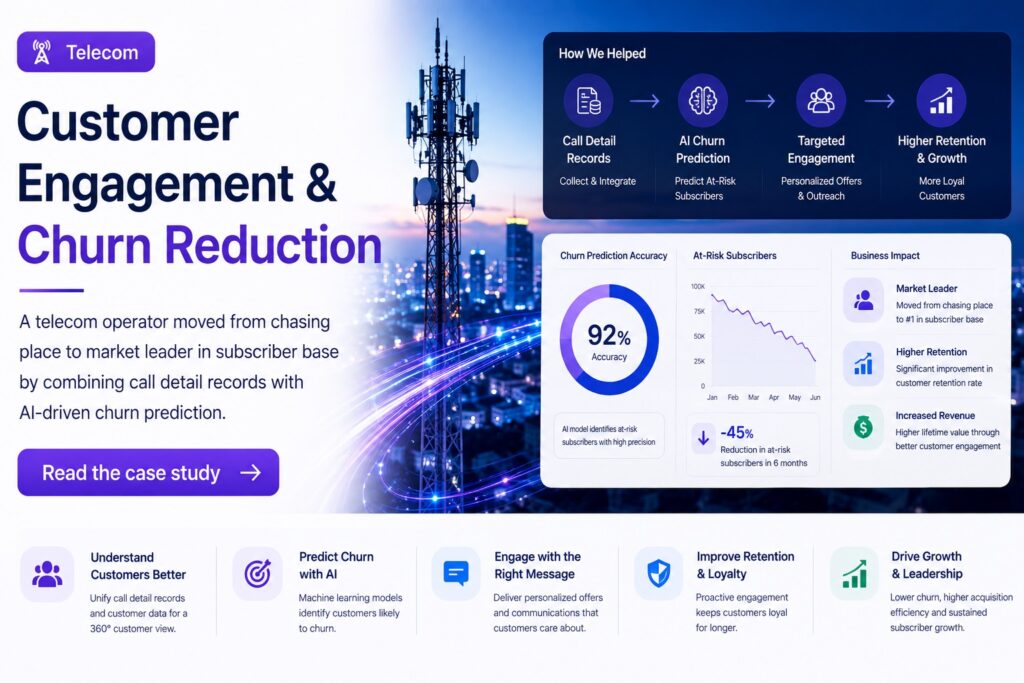
TelecomCustomer EngagementA telecom operator moved from third place to market leader in subscriber base by combining call detail records with AI-driven churn prediction.
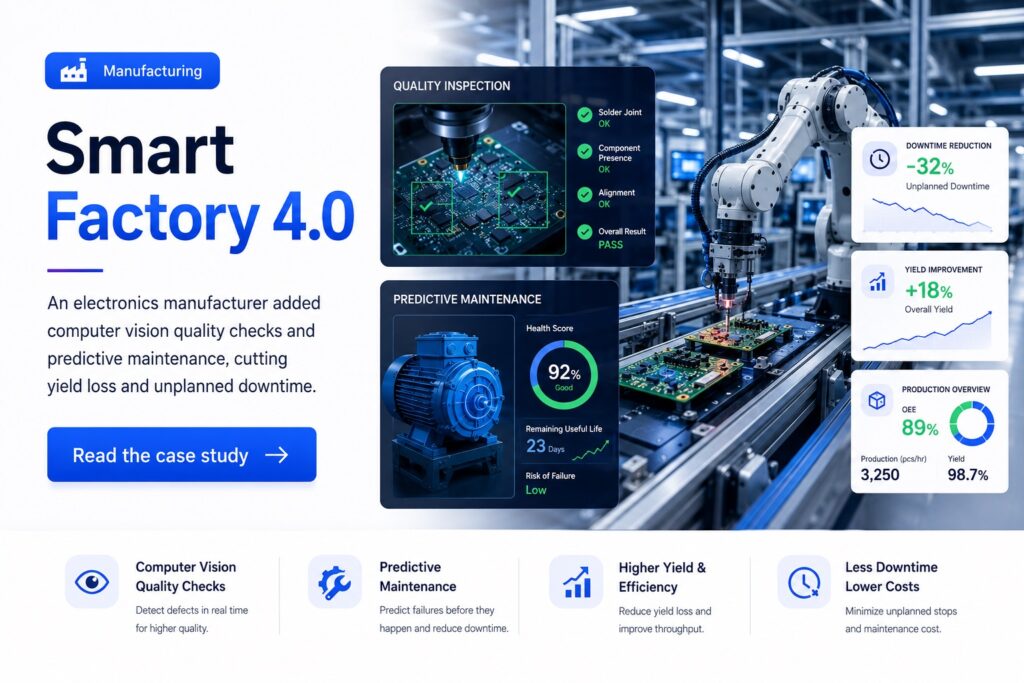
ManufacturingSmart Factory 4.0An electronics manufacturer added computer vision quality checks and predictive maintenance, cutting yield loss and unplanned downtime.

RetailCRM & Store RevenueA café chain used AI-driven customer segmentation to build targeted campaigns that brought back lapsed customers and grew loyalty program spend.

HealthcareHealth Data WarehouseA national health system unified records across facilities into one data warehouse, giving clinicians faster access to the numbers that shape treatment decisions.
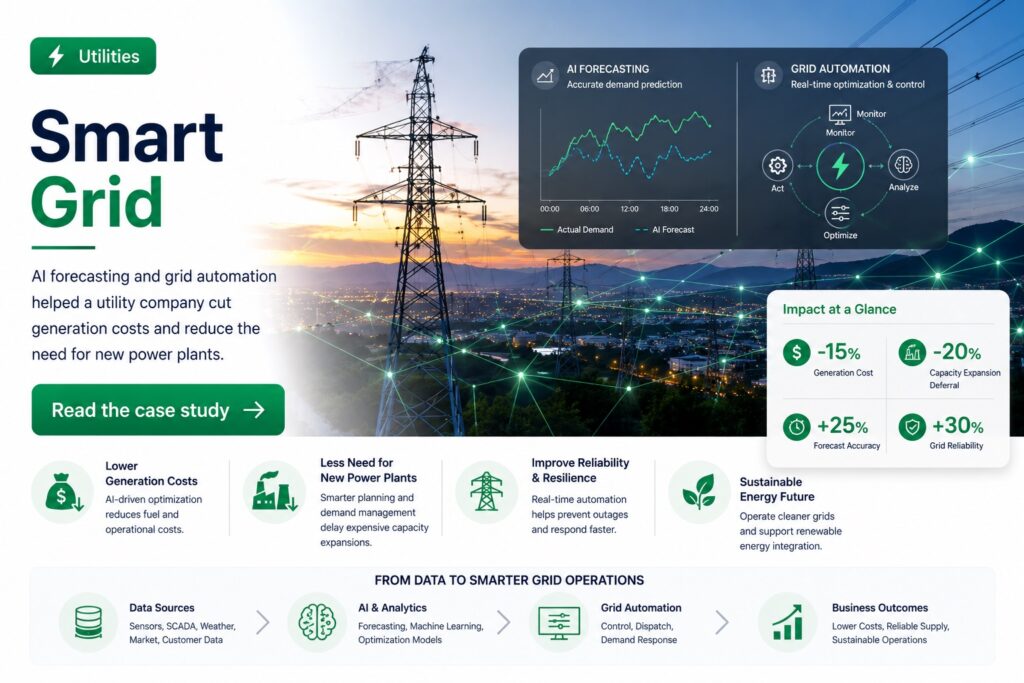
UtilitiesSmart GridAI forecasting and grid automation helped a utility company cut generation costs and reduce the need for new power plants.
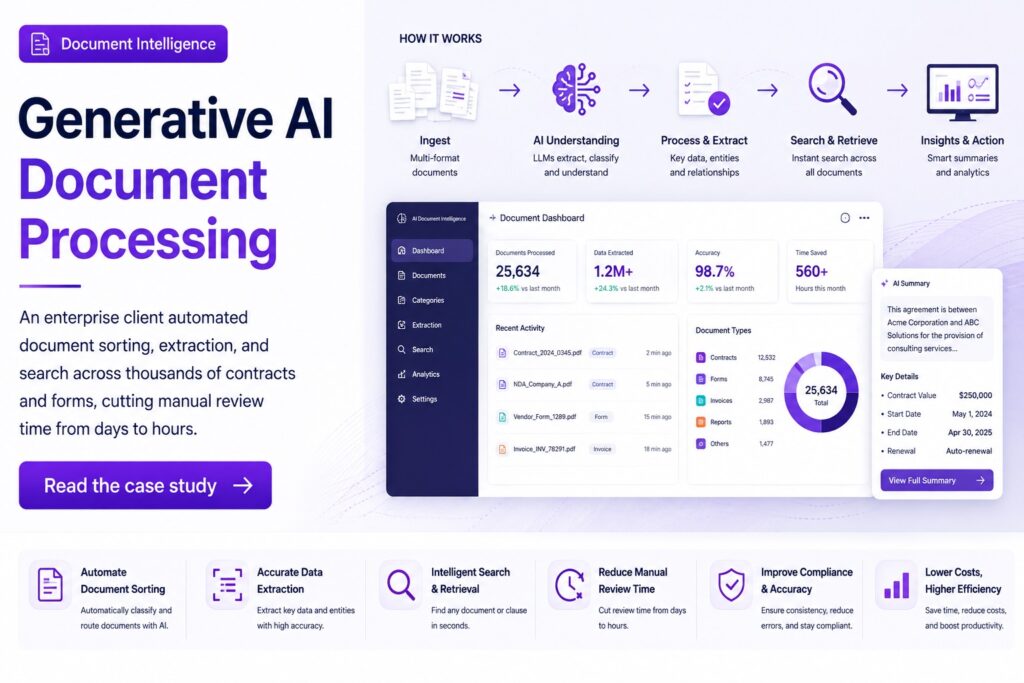
Document IntelligenceAI Document ProcessingAn enterprise client automated document sorting, extraction, and search across thousands of contracts and forms, cutting manual review time from days to hours.
Connect directly with our senior AI and systems architects. We analyze feasibility, constraints, and expected ROI before proposing a product, service, solution, or a formal deployment plan.